


Choosing Computer Cabinet: How to Select the Perfect Fit for Your Setup

When it comes to building or upgrading your PC, the cabinet you choose plays a crucial role. It’s not just about looks; it affects cooling, space, and even future upgrades. I’ve spent a lot of time researching and testing different options, and I want to share what I’ve learned to help you pick the perfect computer cabinet for your needs.
Why Choosing the Right Computer Cabinet Matters
Picking the right cabinet is more than just finding something that looks good on your desk. It’s about functionality and protection. A good cabinet keeps your components safe from dust and damage. It also helps with airflow, which is essential to keep your PC running cool and stable.
Think about your setup. Do you have a lot of components? Maybe multiple hard drives, a big graphics card, or custom water cooling? Your cabinet needs to have enough space and the right layout to fit everything comfortably. Otherwise, you might face overheating or difficulty upgrading later.
Here are some key points to consider when choosing a cabinet:
Size and form factor: Make sure the cabinet supports your motherboard size (ATX, Micro-ATX, Mini-ITX).
Cooling options: Look for cabinets with good airflow and space for fans or radiators.
Build quality: Sturdy materials like steel or aluminum last longer and protect your parts better.
Cable management: Good cabinets have features to hide and organize cables neatly.
Expansion slots and drive bays: Check how many drives and cards you can install.

Tips for Choosing Computer Cabinet That Fits Your Needs
When I first started building PCs, I underestimated how important the cabinet was. I learned the hard way that a cramped or poorly ventilated case can cause headaches. Here’s a step-by-step guide to help you avoid those mistakes:
Identify your motherboard size
Your motherboard size determines the cabinet size you need. Common sizes are ATX, Micro-ATX, and Mini-ITX. Make sure the cabinet supports your motherboard form factor.
Consider your cooling preferences
If you plan to overclock or use high-performance parts, cooling is critical. Look for cabinets with multiple fan mounts or radiator support for liquid cooling.
Plan for future upgrades
Choose a cabinet with extra space for additional drives, graphics cards, or cooling solutions. This saves you from buying a new case every time you upgrade.
Check the front panel features
USB ports, audio jacks, and power buttons should be easily accessible. Some cabinets also offer dust filters on intake fans, which help keep your PC clean.
Think about aesthetics and build quality
While looks aren’t everything, a cabinet that matches your style can make your setup more enjoyable. Also, sturdy materials and good construction mean your PC stays safe.
Measure your space
Don’t forget to check the physical space where you’ll place your PC. Some cabinets are tall and wide, which might not fit under your desk or on your shelf.
By following these steps, you’ll find a cabinet that not only fits your current build but also supports your future plans.
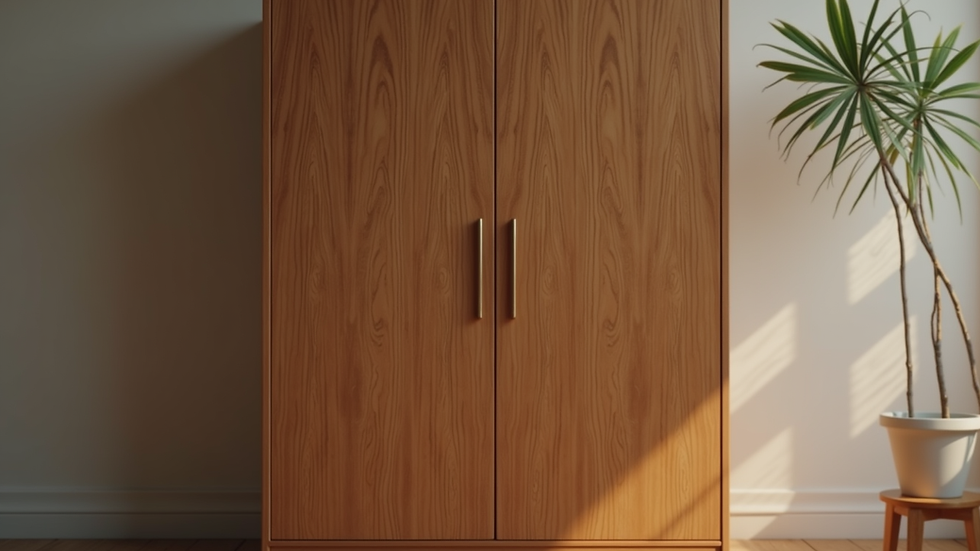
Are computer armoires still relevant?
You might have seen those large, furniture-style computer armoires in older setups. They were popular for hiding bulky desktop towers and keeping everything neat in a home office. But are they still useful today?
The short answer is: it depends on your needs and space. Computer armoires offer a stylish way to conceal your PC and peripherals, especially if you want a clean, minimalist look in your room. They often come with built-in shelves and cable management options.
However, modern PC cabinets are designed with better airflow and cooling in mind. Armoires can sometimes restrict ventilation, which might cause your PC to run hotter. If you choose an armoire, make sure it has enough ventilation or consider adding extra fans.
For gamers and IT professionals who prioritize performance, a dedicated computer cabinet with good airflow is usually a better choice. But if you want to blend your PC into your living space without sacrificing too much cooling, a well-ventilated armoire can still work.
How to Maintain Your Computer Cabinet for Longevity
Once you’ve picked the perfect cabinet, keeping it clean and well-maintained is key to protecting your investment. Dust buildup can block airflow and cause overheating, so regular cleaning is essential.
Here are some maintenance tips I follow:
Clean dust filters regularly: Most cabinets have removable dust filters on intake fans. Wash or vacuum them every few weeks.
Use compressed air: Blow out dust from inside the cabinet, especially around fans and heatsinks.
Check fan operation: Make sure all fans spin freely and replace any noisy or failing ones.
Organize cables: Keep cables tidy to improve airflow and make future upgrades easier.
Inspect for damage: Look for loose screws, bent panels, or other issues that might affect stability.
By taking these simple steps, your cabinet will continue to protect your PC and keep it running smoothly for years.
Final Thoughts on Choosing Your Ideal Computer Cabinet
Choosing the right cabinet is a balance between size, cooling, aesthetics, and future-proofing. Whether you’re building a high-end gaming rig or a reliable workstation, the cabinet you pick can make a big difference in performance and convenience.
Remember to measure your space, consider your components, and think about how you want your setup to look and function. Don’t rush the decision - a good cabinet is an investment that pays off in the long run.
If you want to explore a wide range of options, I recommend checking out computer cabinet selections from trusted suppliers. They offer a variety of styles and sizes to suit every build.
Happy building, and may your PC stay cool and powerful!


Comments